2026 Best Types of Interactive Boards for Global Buyers
Choosing the 2026 Best Types of Interactive Boards for Global Buyers requires more than comparing screen sizes.
Interactive Boards now serve classrooms, meeting rooms, training centers, and control spaces. Each environment demands different performance, software, and installation support. A bright 86-inch display may impress in a showroom. It may feel excessive in a compact training room.
Richard Culatta, a recognized education technology leader, said, “Technology will never replace great teachers, but technology in the hands of great teachers can be transformational.” His observation also applies to business collaboration. The board matters, but user capability matters more.
This guide examines the main Interactive Boards categories available to international buyers. It considers interactive flat panels, traditional digital whiteboards, portable boards, LED all-in-one displays, and specialized collaborative systems. The comparison focuses on touch accuracy, operating systems, writing latency, camera integration, durability, accessibility, and total ownership cost.
Global purchasing adds practical complications. Voltage compatibility, language support, warranty coverage, customs procedures, and local technicians can affect the final result. A low-priced board may become expensive after replacement parts and remote support delays.
Small details matter.
A teacher may need palm rejection during rapid annotation. A sales team may value wireless casting and meeting-platform compatibility. A factory trainer may prioritize sealed surfaces and continuous daily operation.
Some categories overlap. That makes selection less perfect. Buyers should question impressive specifications and test real workflows before ordering. This introduction provides a grounded framework for comparing board types, matching features with users, and avoiding purchases based only on screen size or marketing claims.
What Interactive Boards Are and How They Work
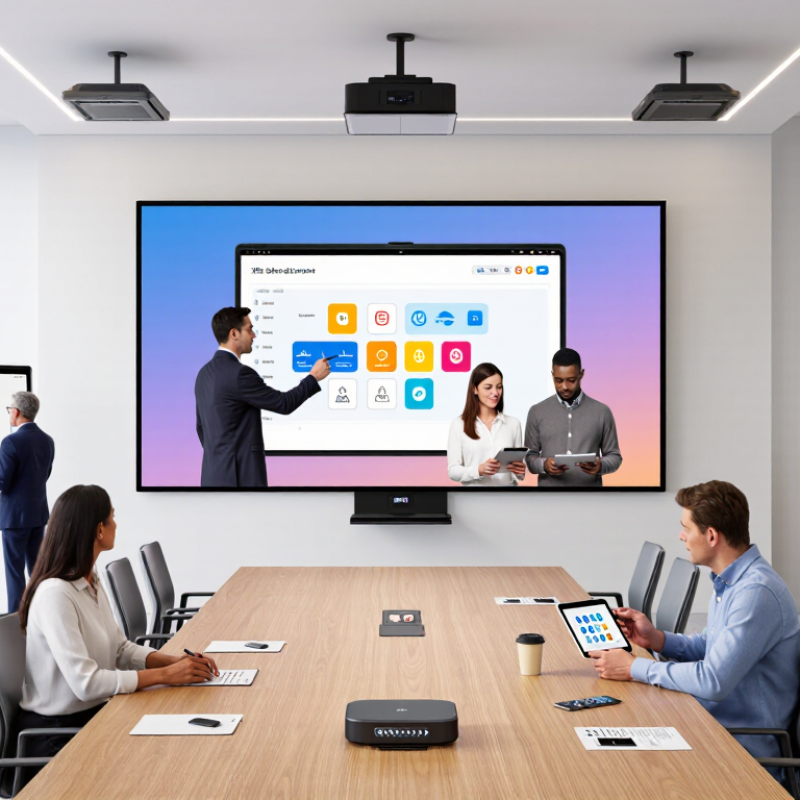
Interactive boards are large digital displays designed for direct participation. They combine a screen, touch technology, speakers, computing hardware, and collaboration software. A teacher can write on a lesson, while a meeting team can move charts or open documents without a separate mouse.
Most boards detect touch through infrared beams or projected-capacitive sensors. When a finger or stylus touches the surface, the system identifies its position within milliseconds. The processor then converts that movement into a digital mark, command, or selected object. A built-in operating system may run applications directly, or the board may connect to a computer through USB-C, HDMI, or wireless casting.
The experience depends on more than screen size. In practical evaluations, I check touch accuracy near the corners, palm rejection, writing delay, speaker clarity, and glare under ceiling lights. A board can look impressive in a showroom. It may feel less comfortable after two hours of teaching. Network access, software compatibility, accessibility settings, and service support also affect daily reliability. Some users prefer a passive stylus, while others need pressure-sensitive writing. That difference is easy to miss. Global buyers should test real files and typical workflows before making a decision, because advertised features do not always reflect classroom or office conditions.
Main Types of Interactive Boards Available in 2026
In 2026, interactive boards mainly fall into five practical categories: infrared touch boards, capacitive displays, optical boards, interactive flat panels, and projection-based systems. Infrared models use a light grid around the screen, allowing fingers, gloves, or styluses to control content. They suit classrooms and training rooms because large sizes are widely available. However, dust or blocked sensors can affect accuracy.
Capacitive interactive displays respond to electrical changes from a finger or compatible pen. They usually offer smooth writing and fast multi-touch control, much like a large tablet. Interactive flat panels combine this touch technology with built-in computing, speakers, and high-resolution screens. They reduce installation work, but their weight and power consumption deserve careful planning. Test the interface with dry hands and different pen types.
Optical boards use cameras or light sensors to detect movement across the surface. They can support large projection areas, making them useful where screen size matters more than image brightness. Projection-based boards are often easier to scale, yet lamps, shadows, calibration, and room lighting remain real concerns. Some buyers focus too heavily on screen size. That can be a mistake. Check writing latency, viewing angles, operating-system compatibility, accessibility features, repair support, and local electrical requirements before ordering. No panel is perfect. The best choice depends on room conditions, teaching habits, and the people using it daily.
How to Choose the Right Interactive Board for Global Use
2026 Best Types of Interactive Boards for Global Buyers
Choosing an interactive board for global use requires more than comparing screen size. The 2023 UNESCO Global Education Monitoring Report found that one in four primary schools lacks electricity, while many others lack reliable internet. A large interactive flat panel may suit a connected urban campus, but a projector-based interactive whiteboard can be more practical where replacement parts and power access remain limited. Test both options in the actual room, not only in a showroom.
For hybrid teaching and international meetings, prioritize low-latency touch, accurate handwriting, built-in microphones, and simple wireless sharing. The ITU Facts and Figures 2024 report estimates that 5.5 billion people were online, yet 2.6 billion remained offline. This gap makes offline annotation, local content storage, and multiple input ports valuable. Check language support, right-to-left text, accessibility features, glare performance, and compatibility with common file formats. Small details matter.
Security and serviceability also deserve equal weight. Choose encrypted updates, role-based access, replaceable accessories, transparent warranty terms, and local technical support. Verify electrical certifications for each destination. Do not assume one operating system fits every classroom. During evaluations, measure boot time, touch accuracy, speaker clarity, and heat after several hours. My own selection framework still has a weakness: it can overvalue technical specifications and undervalue teacher habits. Observe real users before signing a global procurement contract.
Installation, Compatibility, Support, and Total Cost Considerations
For global buyers, an interactive board should be evaluated as a complete installation, not as a screen alone. Mordor Intelligence estimated the interactive display market at about USD 5 billion in 2024, with continued growth through 2029. That growth increases product choice, but also creates compatibility risks. Check operating-system support, USB-C video input, wireless casting, HDMI standards, and device-management requirements before ordering.
Installation details often decide the real cost. A large classroom board may need reinforced walls, concealed cabling, stronger circuit protection, and two trained installers. Measure doorways and elevators, not only the meeting room. AVIXA’s 2024 Industry Outlook reported strong global professional AV spending, but labor and integration remain major budget factors. A low purchase price can become expensive after mounting, software setup, training, and replacement accessories.
Support deserves a written service level. Ask about spare-part availability, remote diagnostics, firmware updates, and response times in your country. Gartner’s research on enterprise technology emphasizes lifecycle management and vendor support, not just initial acquisition. My own checklist still needs improvement: I sometimes underestimate teacher training and network restrictions. Pilot one unit for thirty days. Test casting from Windows, macOS, ChromeOS, and mobile devices. Record installation hours, failed connections, pen accuracy, and support response time. These measurements produce a more reliable total-cost estimate than a catalog price.

