2026 Best HMI Programming Tools and Techniques to Explore

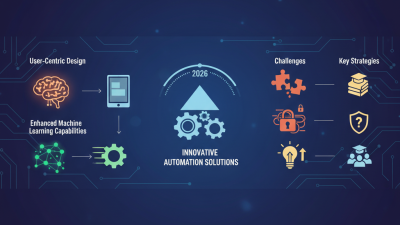
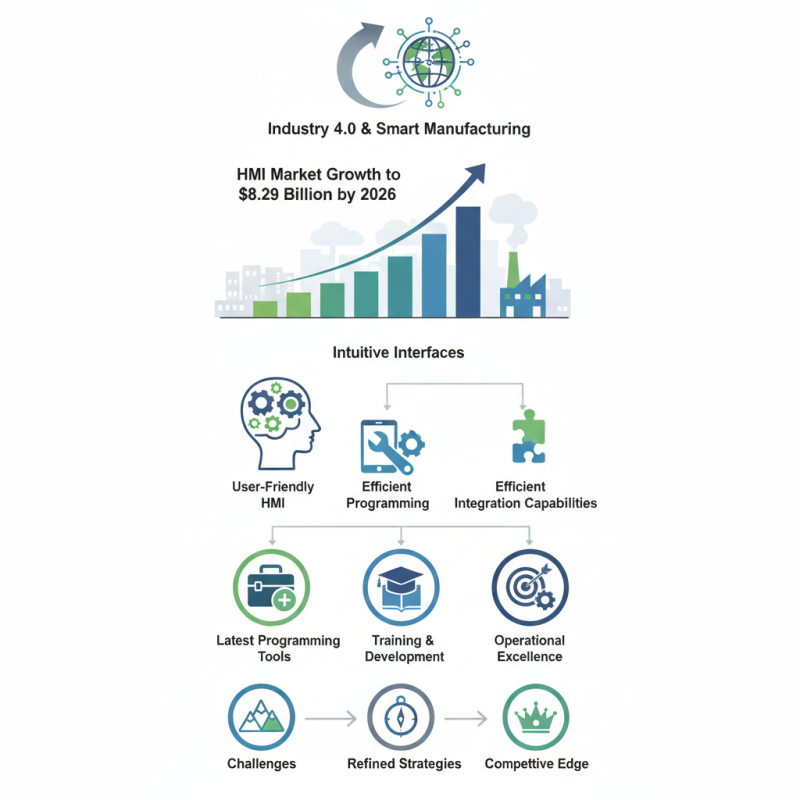
HMI programming is transforming the landscape of industrial automation. According to a recent report by MarketsandMarkets, the HMI market is expected to reach $8.29 billion by 2026, driven by the rise of Industry 4.0 and smart manufacturing. The need for intuitive interfaces is growing. As machines become more complex, users require better tools to manage and operate them effectively.

Today's industry demands efficient and user-friendly HMI programming techniques. With a significant percentage of operations relying on automation, professionals must adopt the best tools available. However, not all HMI programming solutions meet user needs. Some tools may lack flexibility or integration capabilities. This leaves room for improvement in usability and performance.

Exploring the latest programming tools in 2026 will shed light on how to optimize HMI applications. Companies must prioritize training and development to keep pace with evolving technology. Clear, effective HMI programming is vital for achieving operational excellence. It's essential to navigate challenges and refine strategies for a competitive edge.
2026 Best HMI Programming Tools and Techniques to Explore

Overview of HMI Programming Tools and Techniques

HMI programming tools are crucial in modern industrial automation. These tools help in designing user interfaces for various applications. According to a recent industry report, the global market for HMI tools is projected to reach $8 billion by 2026. This growth highlights the importance of efficient HMI programming.

Several techniques enhance HMI programming effectiveness. For instance, graphical programming languages such as Ladder Logic are widely used. They allow programmers to create intuitive interfaces. However, there’s a gap. Many developers lack adequate training in these languages. This deficiency can lead to delays and errors in project execution.

Another promising approach is the use of cloud-based HMI solutions. These tools offer flexibility and remote access. As reported, about 45% of companies plan to adopt cloud technology in their HMI systems. Yet, challenges exist. Security concerns often hinder adoption. Organizations must address these risks while embracing innovation.
2026 Best HMI Programming Tools and Techniques Overview

Key Features to Look for in HMI Programming Software

When selecting HMI programming software, several key features are essential. User-friendly interfaces are vital. According to a recent industry report, software with intuitive design can reduce training time by up to 40%. This is a significant advantage for teams adapting to new tools quickly. The use of visual programming options can also simplify complex tasks.

Moreover, integration capabilities are critical. Many companies rely on systems that work seamlessly together. Data from a manufacturing report shows that 73% of businesses experience improved productivity when their HMI tools interconnect with other systems. This integration allows for real-time data access and enhances decision-making processes.

Finally, the ability to customize is increasingly important. Software that allows users to modify features can better meet unique user needs. However, overly complex customization options can lead to confusion and mistakes. Some teams may struggle to find the right balance between flexibility and usability. The challenge lies in ensuring that the software evolves with the team's requirements without becoming cumbersome.

2026 Best HMI Programming Tools and Techniques to Explore - Key Features to Look for in HMI Programming Software

Tool Name Key Features Programming Languages Supported User Interface Design Options Integration Capabilities
Tool A Drag-and-drop interface, real-time data visualization, user management C#, Java, Python Customizable templates, multi-screen support REST API, MQTT, OPC UA
Tool B Advanced data analytics, extensive widget library, cloud compatibility HTML5, JavaScript, C++ Responsive design, theme customization PLC integration, database connectivity
Tool C Mobile app support, offline capabilities, multi-language support VB.NET, Swift, Java Visual design editor, animation effects SCADA systems, third-party software integration
Tool D User-friendly interface, robust security features, simulation tools Python, Ruby, SQL Widget-focused design, interactive dashboards Data logging, analytics tools integration

Popular HMI Programming Languages and Frameworks

Human-Machine Interface (HMI) programming is critical in diverse industries, ranging from manufacturing to healthcare. As automation grows, so does the demand for robust HMI programming languages and frameworks. According to a recent report, the global HMI market is projected to reach $7.57 billion by 2026, indicating a significant expansion.

Popular languages include Python, C#, and JavaScript. Python is favored for its simplicity and readability, making it a common choice for quick prototyping. However, it may struggle with performance in large-scale applications. C# integrates seamlessly with Windows-based systems. Yet, it might have a steeper learning curve for beginners. JavaScript, prevalent in web-based applications, allows for dynamic interfaces. Still, it can introduce security vulnerabilities if not handled properly.

Frameworks like Qt and Angular also play vital roles. Qt offers powerful tools but can be resource-intensive. Angular, on the other hand, promotes modular design. Yet, it may lead to complexity in larger projects. Users often confront the challenge of optimizing performance while maintaining usability. Striking the right balance remains essential for effective HMI solutions.

Best Practices for Effective HMI Design and Implementation

Effective Human-Machine Interface (HMI) design is crucial for user experience. A well-thought-out interface enhances usability. Users can achieve their goals quickly with minimal confusion. Colors, fonts, and layouts all play a critical role. Choosing the right palette improves readability. Too many colors can overwhelm users, making them feel lost.

User feedback is essential during the design phase. Prototyping and testing lead to valuable insights. Sometimes, less is more. Features that seem intuitive can confuse users. Designers must be open to revising their decisions. It’s about finding balance, which is often elusive. Continuous iterations based on real user interactions push the design closer to perfection.

Accessibility should never be an afterthought. Interfaces must cater to diverse user needs. Some may require larger buttons, others may prefer voice commands. Ignoring these aspects risks alienating parts of the user base. Every design choice impacts usability and satisfaction. Designers must reflect on their approaches regularly to improve. Striving for an inclusive, well-implemented HMI can transform user experience dramatically.

Emerging Trends in HMI Technology for 2026

2026 Best HMI Programming Tools and Techniques to Explore

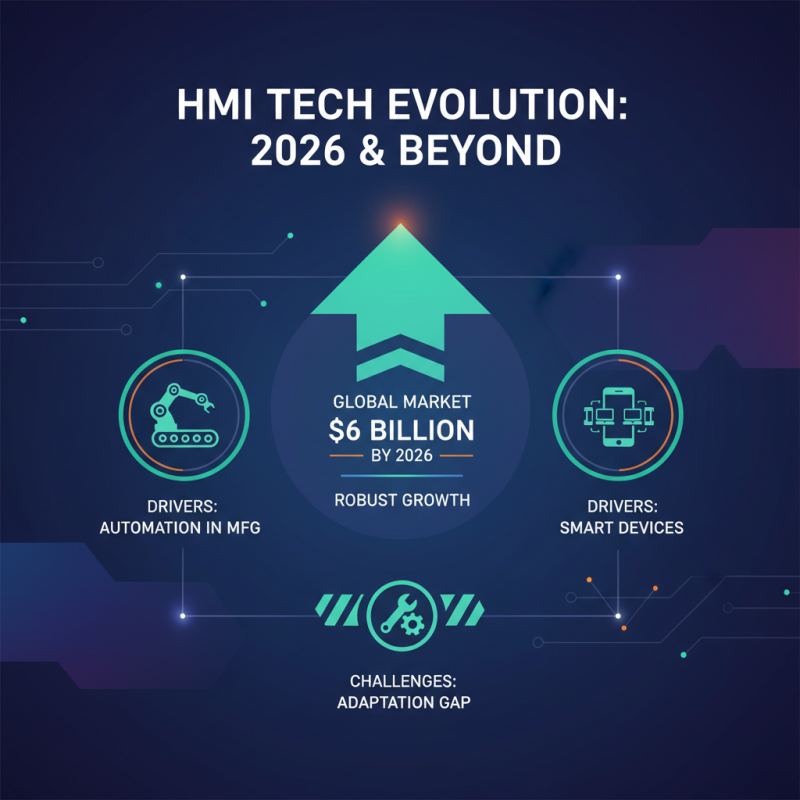
In 2026, HMI technology is set to evolve dramatically. Recent industry reports indicate that the global HMI market could reach $6 billion by 2026. This demonstrates a robust growth trajectory, driven by increased automation in manufacturing and smart devices' rising popularity. However, many companies face challenges in adapting their systems to these advancements.

User experience (UX) is a focal point in emerging trends. Reports suggest that 56% of users prefer interfaces that are intuitive and easy to navigate. Yet, many HMIs still rely on outdated designs and complex interactions. It's crucial for developers to prioritize UX in their tools. Incremental improvements can lead to major enhancements in user satisfaction.

Another aspect is the integration of machine learning. About 40% of organizations are experimenting with AI-driven interfaces. These trends could enhance decision-making but also introduce complications. Companies often struggle to find the right balance between automation and user control. An over-reliance on algorithms may result in a disconnect from operators, making it vital to refine this approach.

Scroll to Top