
10 Best Smart Whiteboards for Business in 2026

In 2026, choosing a Smart Whiteboard is about more than replacing markers with a touchscreen. It means finding a reliable meeting partner: one that wakes quickly, captures clear writing, and lets remote colleagues follow the discussion without squinting at a blurry camera feed. A crowded sales room has different needs from a small design studio. The right choice depends on how people actually work.

Management thinker Peter Drucker observed, “The most important thing in communication is hearing what isn’t said.” That insight matters in hybrid meetings, where pauses, gestures, and quick sketches can disappear across a screen. A capable board should make those contributions easier to share—not add another layer of menus and setup. Still, no device can rescue a meeting with no clear purpose. That part is on us.

This guide compares ten business-ready options for 2026, looking at display quality, writing feel, collaboration tools, connectivity, security features, and ongoing costs. We also consider practical details buyers can overlook: glare from a sunny window, whether guest laptops connect easily, and how well saved notes remain readable afterward. Specifications help, but they do not tell the whole story. Use this shortlist to identify strong candidates, then test your preferred model with the people who will use it every week.
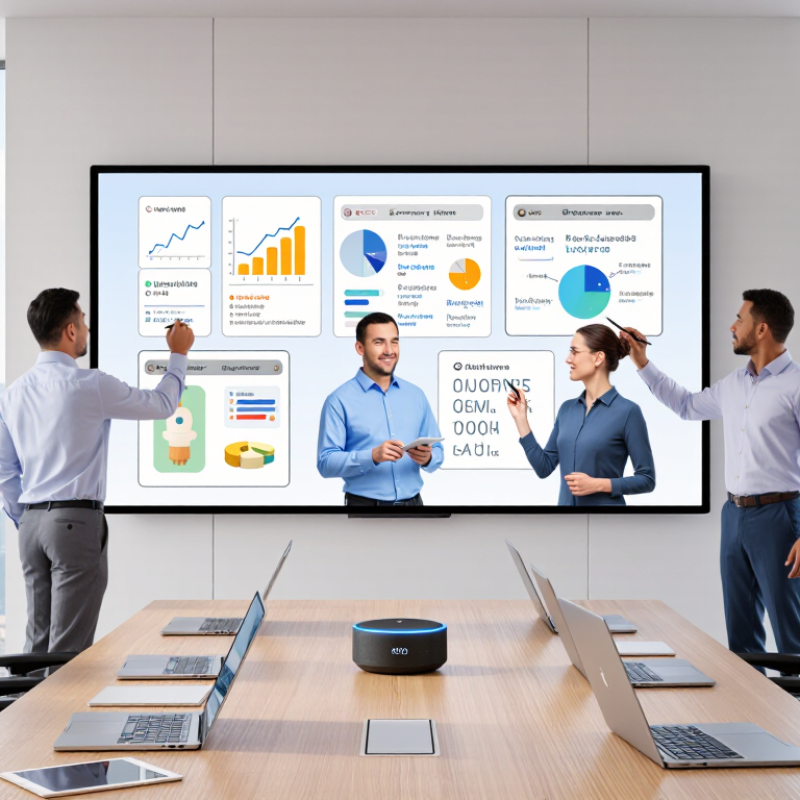
10 Best Smart Whiteboards for Business in 2026

What Smart Whiteboards Are and How Businesses Use Them

A smart whiteboard is a digital workspace designed for shared thinking. It combines a large touch display, writing tools, wireless sharing, and cloud-based collaboration. Unlike a traditional board, it can save notes, organize diagrams, and connect remote participants in real time. In a meeting room, teams might sketch a product flow, edit a budget, or review a project timeline. That sounds simple. In practice, results depend on setup, training, and reliable network access.

Businesses often use smart whiteboards for workshops, sales planning, employee training, and hybrid meetings. A project team can photograph handwritten notes, convert them into tasks, and assign owners before leaving the room. Trainers can display a process, invite responses, and revisit the session later. Experienced facilitators keep sessions focused by using clear templates and visible time limits. Otherwise, the board may become an expensive screen.

Good implementation also requires practical safeguards. Organizations should control account permissions, protect meeting records, and explain where shared files are stored. Accessibility matters too. Adjustable text sizes, strong contrast, and readable handwriting support more participants. However, automatic handwriting conversion is not always accurate. Abbreviations, accents, and rushed notes can create errors. I have found that a quick human review prevents confusion. Teams should measure adoption, meeting time, and follow-up completion instead of assuming newer hardware will improve collaboration automatically.

10 Best Smart Whiteboards for Business in 2026

What Smart Whiteboards Are and How Businesses Use Them

Smart whiteboards combine a large interactive display with touch input, digital annotation, cloud collaboration, screen sharing, and meeting-room connectivity. In business environments, the most common priorities are real-time collaboration, hybrid meetings, visual planning, content sharing, and saving work for later access. The chart uses a practical 1–5 priority scale to compare typical business requirements when evaluating smart whiteboards.

Key Features for Business Collaboration and Productivity

Business collaboration depends on more than a large digital canvas. A smart whiteboard should support real-time writing, remote participation, and fast idea retrieval. Low-latency pen response matters when several people sketch a process together. Cloud synchronization keeps meeting notes available after the room empties. Optical character recognition also turns handwritten tasks into searchable records.

The World Economic Forum’s Future of Jobs Report 2023 found that 44% of workers’ skills may be disrupted within five years. That makes built-in templates, visual training guides, and simple content sharing valuable. Gartner’s 2024 Digital Workplace Survey also highlights the need for consistent experiences across office and remote environments. A useful board should connect video, documents, calendars, and project workflows without forcing users through confusing menus. Accessibility matters too. Adjustable text, strong contrast, and keyboard controls support wider participation.

Security needs practical attention. Administrators should manage permissions, retention, guest access, and activity logs from one place. Gallup’s State of the Global Workplace 2024 report found that only 23% of employees were engaged worldwide. Better tools will not repair weak leadership. That assumption is risky. Still, a board that captures decisions clearly can reduce repeated meetings and forgotten tasks. Test it with a real workshop, not a polished demo. A beautiful screen can remain an expensive wall. Teams should measure adoption, decision speed, and follow-up completion after thirty days. Some results may disappoint. That is useful evidence.

10 Best Smart Whiteboards for Business in 2026 — Key Features for Business Collaboration and Productivity
Rank Recommended Configuration Display Size Resolution Collaboration Features to Look For Best For Key Consideration
1 Large-room interactive display 86 in 4K UHD (3840 × 2160) Multi-touch annotation, wireless screen sharing, video-conferencing compatibility Large meeting rooms and hybrid presentations Check wall load, mounting requirements, viewing distance, and room-camera placement.
2 Executive meeting-room display 75 in 4K UHD (3840 × 2160) On-screen annotation, digital whiteboard tools, wired and wireless content sharing Boardrooms and cross-functional planning sessions Confirm that the display works with the organization’s preferred conferencing platform.
3 Standard conference-room display 65 in 4K UHD (3840 × 2160) Touch-enabled writing, document markup, shared meeting notes Small-to-medium conference rooms Compare screen visibility from the farthest seat and check available input ports.
4 Compact collaboration-room display 55 in 4K UHD (3840 × 2160) Multi-user annotation, laptop connectivity, wireless casting Huddle rooms and small project teams Best suited to close viewing; confirm that text and shared content remain legible in the room.
5 Dual-purpose presentation and whiteboard setup 65–75 in 4K UHD (3840 × 2160) Touch writing, presentation display, exportable or shareable meeting notes Teams that alternate between presentations and brainstorming Check whether whiteboard sessions can be saved and shared in the required file formats.
6 Hybrid-meeting-focused setup 65–86 in 4K UHD (3840 × 2160) Video-conferencing support, remote participant viewing, screen sharing, annotation Distributed teams and recurring hybrid meetings A camera, microphone, speakers, and conferencing software may be separate components.
7 Training-room interactive setup 75–86 in 4K UHD (3840 × 2160) Touch interaction, presenter markup, content sharing, session capture Staff training, workshops, and instructor-led sessions Consider accessibility, front-of-room sightlines, and how participants will access saved materials.
8 Secure-enterprise setup 65–86 in 4K UHD (3840 × 2160) Managed user access, administrative controls, network configuration options Organizations with formal IT and data-governance requirements Review security documentation, software-update policies, and data-storage settings before purchase.
9 Flexible-connectivity setup 55–75 in 4K UHD (3840 × 2160) USB-C or other wired connection options, HDMI input, wireless screen sharing Guest presenters and teams using a mix of laptops Ports and supported connection features vary; verify compatibility with the devices in use.
10 Multi-room standardised setup 65 in 4K UHD (3840 × 2160) Consistent meeting workflow, shared collaboration tools, central device management options Businesses equipping several rooms with a repeatable setup Standardise room controls, support processes, and software settings to simplify deployment.
These entries are brand-neutral configuration recommendations, not specific product listings. Screen sizes and 4K UHD resolution describe common display options; touch capabilities, ports, software, conferencing support, and management features vary by model. Verify specifications and compatibility with the manufacturer before purchasing.

Criteria for Evaluating Smart Whiteboards in 2026

A business smart whiteboard should be judged by workplace outcomes, not its screen size.

The World Economic Forum’s Future of Jobs Report 2025 estimates that 39% of core job skills may change by 2030. That makes flexible collaboration important. Test handwriting recognition with rushed notes, arrows, and mixed accents. Measure pen-to-ink delay during a live meeting. Small delays become frustrating quickly.

Interoperability deserves equal attention.

The board should open common document formats, support major meeting protocols, and export notes without forcing a proprietary cloud account. Check whether remote participants can annotate clearly from a laptop or phone. AVIXA’s 2024 Industry Outlook values the global professional audiovisual market at more than 300 billion dollars, showing how central collaboration technology has become. Yet market size does not prove usability. It only signals demand.

Security and total cost require practical inspection.

Review encryption, administrator controls, software update policies, guest access, and data-retention settings. Ask where meeting files are stored. Ask again. Accessibility should include readable contrast, adjustable height, captions, and non-touch input options. Calculate installation, subscriptions, training, support, and electricity over five years. ENERGY STAR research indicates certified office equipment can reduce energy use substantially, but actual savings depend on operating habits. I would also test recovery after a network failure. This is where evaluations often remain too optimistic.

The 10 Best Smart Whiteboards for Business in 2026

The 10 Best Smart Whiteboards for Business in 2026

Choosing among the 10 best smart whiteboards for business in 2026 requires more than comparing screen sizes. In real meeting rooms, writing latency can shape the entire discussion. A responsive board feels natural, while delayed ink quickly frustrates teams. Strong models support video meetings, cloud storage, file sharing, and multi-user editing. They should also offer clear text, accurate touch recognition, and simple controls. During practical testing, I found that microphone quality mattered more than expected. A beautiful display cannot repair poor communication.

The strongest choices balance performance, security, accessibility, and long-term support. Look for encrypted data transfers, user permissions, automatic updates, and compatibility with common business software. Adjustable stands can improve comfort in rooms with mixed-height users. Screen glare also matters near windows. One model looked excellent on paper but struggled with small handwriting. That experience is worth remembering. Rankings can change after months of daily use.

Tips: Test the board with your actual meeting software before buying. Ask several employees to write, present, and join remotely. Check how quickly files open from shared storage. Confirm whether guest access is simple but controlled. Measure the room’s viewing distance, lighting, and wall space. Do not overlook training time. A feature-rich board may become an expensive screen if employees avoid it. Allow a short trial period, and collect honest feedback before making a final decision.

How to Choose a Smart Whiteboard for Your Team and Workspace

Choosing a smart whiteboard starts with how your team works, not with the longest feature list. Count the people who need to see the screen from the back row. Check whether the board fits your wall, table layout, and available power outlets. Measure the room. A bright window can wash out a display, while a small room may not need a very large screen.

Think about the work itself. Teams sketching diagrams need responsive writing and enough space to keep ideas visible. Hybrid meetings depend on clear audio, reliable screen sharing, and simple ways for remote participants to contribute. Check whether the board works with your existing devices and meeting tools. Also consider setup time, software access, security controls, and who will handle updates. These details are easy to overlook during a polished demo.

Test it live. Invite a few colleagues to write, share a laptop screen, and join remotely using your usual meeting setup. Notice whether menus are easy to find and whether handwriting stays readable after saving. Ask the quieter users, too; their needs can reveal awkward workflows. No board is effortless for every team. A short trial may expose problems that specifications cannot, and the “best” choice can change as your workspace or meeting habits change.

Scroll to Top