
What Is a Desktop Power Supply and How Does It Work?
A Desktop Power Supply is the quiet foundation of every desktop computer. It converts alternating current from a wall outlet into stable direct-current rails for the motherboard, processor, graphics card, storage drives, and cooling fans. Behind its metal casing, transformers, capacitors, switching circuits, and protection controls work continuously. You rarely see them. You depend on them.
Jon Gerow, a respected power-supply engineer and hardware reviewer known as JonnyGURU, has described this principle clearly: “The power supply is the most important component in your computer.” His point is practical, not dramatic. A fast graphics card cannot perform reliably when its power source delivers unstable voltage. A poorly chosen unit may also create excess heat, fan noise, or unexpected shutdowns.
This guide explains what a Desktop Power Supply does and how it works. You will see how wattage, efficiency ratings, voltage regulation, ripple control, connectors, and safety protections affect daily operation. Imagine the computer under your desk: the fan starts, the drive spins, and the screen wakes within seconds. Every action begins with controlled electrical conversion.
Numbers can mislead.
A higher wattage rating does not automatically mean better quality. Efficiency labels also describe energy use, not complete reliability. I have found that real selection requires checking independent tests, expected load, warranty coverage, and connector compatibility together. Even then, predictions are imperfect. Components age, workloads change, and manufacturer claims deserve careful verification.
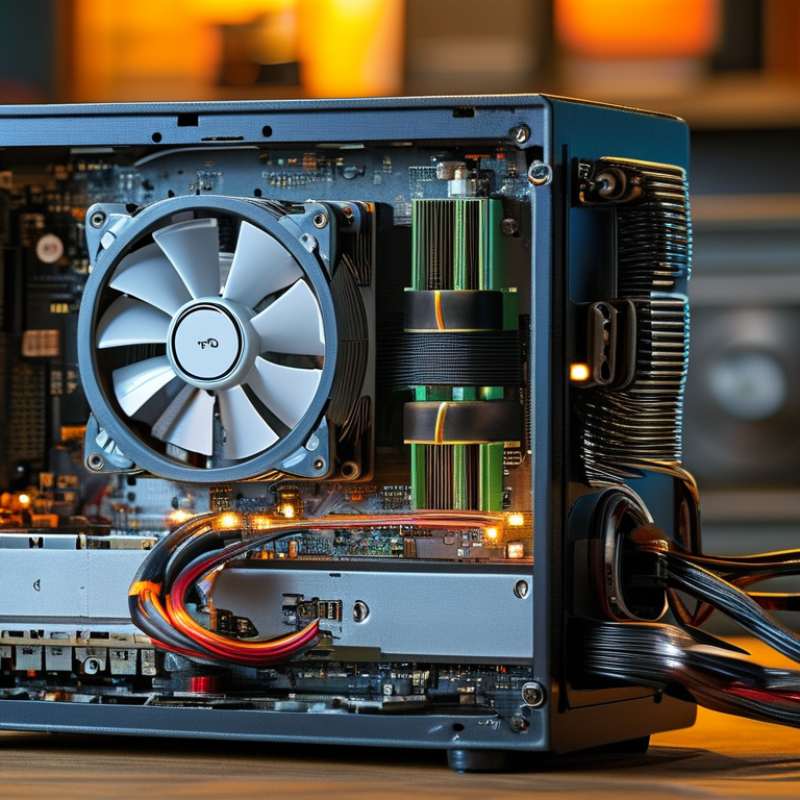
What a Desktop Power Supply Is and What It Provides
A desktop power supply converts wall-current AC into stable DC power for the motherboard, processor, graphics card, storage, and cooling fans. It also regulates voltage and filters electrical noise. The common outputs include 12V, 5V, and 3.3V rails. The 12V rail usually carries the heaviest load, especially during gaming or video rendering. A power supply does not create extra performance. It provides electrical stability.
Efficiency matters. The ENERGY STAR Computers Version 9.0 specification evaluates internal power supplies at 10%, 20%, 50%, and 100% loads. It also considers power factor at full load. Higher efficiency means less wasted electricity and less heat inside the case. For example, a 500-watt system drawing 500 watts from the wall wastes about 100 watts at 80% efficiency. That heat needs removal. In practice, a simple wattage estimate can still be wrong. Short power spikes, aging components, and future upgrades change the calculation. I have seen systems shut down despite seemingly adequate ratings.
Tips: Choose capacity with practical headroom, not an exaggerated number. Check continuous output, connector compatibility, protection features, and independent test evidence. The Intel ATX Power Supply Design Guide recommends attention to voltage regulation, ripple, and transient response. These details affect long-term reliability. A quiet fan is useful, but silence alone proves nothing. Always verify the electrical specifications.

The Main Components Inside a Desktop Power Supply
A desktop power supply converts household alternating current into stable direct current for the computer’s internal parts. Its metal case contains several carefully coordinated stages. Power enters through an AC inlet and passes through an electromagnetic interference filter. This filter reduces electrical noise moving into or out of the unit.
The rectifier changes AC into pulsing DC. Large capacitors then smooth that voltage, although the result is still too high for computer hardware. A power-factor correction circuit improves the input waveform and reduces wasted current. Switching transistors rapidly turn the voltage on and off. This creates high-frequency energy for the transformer.
The transformer provides electrical isolation and lowers the voltage. On the secondary side, rectifiers convert the transformed signal into usable DC rails. Inductors and capacitors remove remaining ripples. A control circuit constantly checks output voltage and adjusts switching speed. Small differences matter.
Protection circuits monitor overvoltage, overcurrent, short circuits, and excessive temperature. A fan moves warm air away from the transformer and switching components. In practical testing, loose cables and blocked airflow often cause more trouble than dramatic component failure. I once underestimated dust buildup; the temperature increase was surprisingly noticeable. Still, component labels do not explain everything. Two supplies with similar ratings may behave differently under sudden loads. Understanding the internal path helps technicians inspect symptoms without guessing. Opening the case remains dangerous, even after unplugging it, because capacitors can retain a serious charge.
What Is a Desktop Power Supply and How Does It Work? - The Main Components Inside a Desktop Power Supply
| Component | Position in the Power Path | Primary Function | Typical Electrical Details | Why It Matters |
|---|---|---|---|---|
| AC Input Connector | Power entry | Connects the desktop power supply to the building’s alternating-current supply. | Commonly accepts approximately 100–240 V AC, depending on the design. | Provides the starting point for converting mains electricity into regulated DC power. |
| Fuse | Immediately after the AC input | Interrupts the circuit when excessive current flows. | A replaceable or soldered overcurrent protection device rated for the input circuit. | Helps limit damage caused by short circuits or severe internal failures. |
| EMI/RFI Filter | Input filtering stage | Suppresses high-frequency electrical noise entering or leaving the power supply. | Usually combines capacitors, common-mode chokes, and sometimes differential-mode filtering. | Reduces interference with radio equipment and other electronic devices. |
| Bridge Rectifier | AC-to-DC conversion stage | Converts the incoming AC waveform into pulsating DC voltage. | Typically uses four diodes or an integrated bridge module. | Creates the high-voltage DC bus required by the switching circuitry. |
| Power-Factor-Correction Stage | After the bridge rectifier | Shapes the input current so it more closely follows the AC voltage waveform. | Active PFC commonly uses an inductor, switching transistor, diode, and control circuit. | Improves power factor and reduces unwanted current harmonics. |
| Bulk Capacitor | High-voltage DC bus | Stores energy and smooths the rectified high-voltage waveform. | Often an electrolytic capacitor rated around 400–450 V DC in universal-input designs. | Provides a more stable energy source for the primary switching stage. |
| Primary-Side Switching Transistors | High-voltage switching stage | Switch the high-voltage DC bus at high frequency. | Commonly uses power MOSFETs controlled by a pulse-width-modulation circuit. | Enables efficient, compact energy transfer through the transformer. |
| High-Frequency Transformer | Between primary and secondary sides | Transfers energy magnetically, changes voltage, and provides galvanic isolation. | Operates at switching frequencies far above the 50/60 Hz mains frequency. | Separates the hazardous input circuitry from the low-voltage output circuitry. |
| Secondary Rectifiers | Low-voltage output stage | Convert the transformer’s high-frequency AC output into low-voltage DC. | May use Schottky diodes or synchronous MOSFET rectification. | Directly affects conversion efficiency and output heat. |
| Output Inductors and Capacitors | Post-rectification filtering | Smooth the rectified waveforms and reduce voltage ripple. | Used on the main output rails, commonly including approximately 12 V, 5 V, and 3.3 V. | Delivers cleaner DC power to the motherboard, processor, drives, and graphics hardware. |
| Feedback and Control Circuit | Control loop between output and primary side | Monitors output voltage and adjusts switching timing to maintain regulation. | Often uses a reference circuit, optocoupler, and PWM controller for isolated feedback. | Keeps output voltage stable when the load or input voltage changes. |
| Protection Circuits | Integrated throughout the supply | Detect abnormal electrical or thermal conditions and shut down or limit operation. | Common functions include overvoltage, undervoltage, overcurrent, short-circuit, over-temperature, and surge protection. | Helps protect the power supply and connected computer components. |
| Cooling Fan and Thermal System | Airflow and heat-dissipation section | Removes heat from semiconductors, transformers, and other power components. | Uses a fan, ventilation openings, and metal heatsinks; fan speed may respond to temperature or load. | Controls operating temperature and supports long-term reliability. |
| DC Output Connectors | Power delivery stage | Distribute regulated DC power to computer components. | May include motherboard, processor, graphics, drive, and peripheral power connectors. | Provides the correct voltage rails and current paths for the desktop system. |
How Mains Electricity Becomes Usable Computer Power
What Is a Desktop Power Supply and How Does It Work?
How Mains Electricity Becomes Usable Computer Power
A desktop power supply converts high-voltage mains electricity into controlled direct current. Power enters through a wall socket as alternating current, usually at 100–240 volts. Inside the unit, filtering reduces electrical noise before a rectifier changes AC into rough DC. Large capacitors then smooth the pulses. The voltage remains dangerous at this stage.
A switching circuit rapidly controls that stored energy. It sends short pulses through a transformer, which provides isolation and reduces the voltage. On the low-voltage side, additional rectifiers and capacitors create usable outputs, commonly 12 volts, 5 volts, and 3.3 volts. The computer’s motherboard, drives, fans, and graphics hardware draw power from these rails.
It is a careful balancing act. Feedback circuits constantly measure output voltage and adjust switching speed when the load changes. Protection systems can respond to overcurrent, overheating, short circuits, or excessive voltage. During practical testing, a stable supply should maintain nearly steady readings while the computer starts, sleeps, and runs demanding software. Small ripple is normal, but excessive ripple can cause instability or shorten component life.
The process is not perfectly clean. Some energy becomes heat, and efficiency changes with workload. A power rating alone also tells an incomplete story; internal design and sustained output matter. I once treated wattage as the main answer, but that view ignored regulation quality, airflow, and real operating conditions.
How Power Supply Ratings and Connectors Support PC Hardware
A desktop power supply converts household AC electricity into stable DC power for the motherboard, processor, storage, and graphics hardware. Its wattage rating shows the maximum power it can deliver, not the amount your computer constantly consumes. A system drawing 350 watts may need a 500- or 600-watt unit for safe headroom. Efficiency ratings also matter because better conversion produces less heat and wasted electricity. However, an efficiency label does not prove superior build quality.
Connectors distribute power to specific components. The 24-pin connector feeds the motherboard, while the 4+4-pin connector supports the processor near its socket. Graphics hardware commonly uses 6+2-pin PCIe connectors. SATA connectors power drives and some accessories. Modular cables can reduce clutter, but they require careful matching.
I once assumed every detachable cable was interchangeable. That mistake could damage hardware. Always use the cables supplied for that power supply.
Tips: Check your hardware’s peak requirements, then leave practical headroom. Inspect connector shapes before installation. Never force a plug. Keep cables away from fans and sharp case edges. If a computer repeatedly shuts down under load, do not blame the power supply immediately; overheating, loose connections, or faulty memory may cause similar symptoms. Use the component manuals and reliable load estimates, because online calculators can be useful but imperfect.
How Desktop Power Supplies Manage Safety, Heat, and Efficiency
A desktop power supply converts wall current into stable DC power for the processor, graphics card, drives, and fans. Its main work is not simply producing more watts. It must control voltage, limit faults, and manage heat inside a compact metal enclosure. The ATX12V Design Guide describes protections such as overvoltage, overcurrent, short-circuit, and over-temperature shutdown. These safeguards act like electrical brakes when a cable fails or a component suddenly demands too much current.
Efficiency changes with workload. The published 80 PLUS certification criteria require a Gold-rated supply to reach about 90% efficiency at 50% load on 115-volt input. The remaining 10% becomes heat. A 500-watt output can therefore require roughly 556 watts from the wall. That difference warms internal components and increases fan noise. The U.S. Department of Energy’s computer energy guidance also emphasizes efficient power conversion and idle power reduction. Still, efficiency labels do not reveal every real-world behavior. Fan curves, cable resistance, room temperature, and aging capacitors matter. The label can mislead.
Tips: Choose capacity with moderate headroom, not extreme oversizing. Check protections, efficiency test conditions, and operating temperature. Keep dust away from the intake. Measure wall power when possible. A small plug-in meter can expose assumptions. My own design judgment would remain cautious: a quiet supply is not automatically a cool supply, and a high rating does not guarantee better regulation.
What Is a Desktop Power Supply and How Does It Work?
How desktop power supplies manage safety, heat, and efficiency
This chart shows the minimum efficiency targets for non-redundant desktop power supplies at 115 V AC under common efficiency certification levels. Higher efficiency converts more incoming electricity into usable DC power and wastes less energy as heat. Safety also depends on independent protection circuits such as over-voltage, over-current, short-circuit, and over-temperature protection.

