How to Choose the Right HMI Solutions?
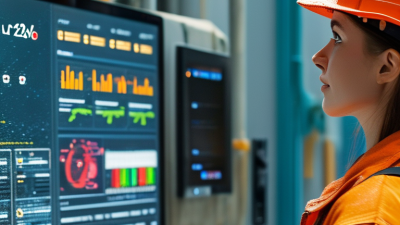
Choosing the right HMI solutions is not merely a matter of selecting a bright screen or a modern interface. It is a practical decision that affects operator safety, production speed, maintenance effort, and long-term business value. A suitable HMI should make critical information visible within seconds, even in a noisy factory with gloves, dust, and changing light.
Don Norman, a leading authority on human-centered design, stated, “Design is really an act of communication, which means having a deep understanding of the person with whom the designer is communicating.” This principle remains highly relevant to HMI solutions. Engineers must understand who will use the system, what decisions they make, and which mistakes could cause costly downtime. An interface designed for a control-room specialist may fail on a factory floor. Context matters.
This guide examines display size, usability, connectivity, software compatibility, environmental protection, and lifecycle support. It also considers response time and alarm clarity. Small details matter. A confusing alarm can delay action. A poorly placed button can create hesitation.
However, no selection process is perfect. Specifications can look impressive on paper, yet real operators may still struggle with the interface. That weakness deserves honest testing. User trials, maintenance feedback, and field observations should influence the final choice. The strongest HMI solutions are not always the most expensive. They are the ones that communicate clearly, perform reliably, and continue supporting people after installation.

Define the Role and Requirements of Your HMI System
How to Choose the Right HMI Solutions?
Define the Role and Requirements of Your HMI System
Start with the task. Not the screen.
An HMI should help people make safe, timely decisions. Define its role before selecting hardware or software. Is it controlling a packaging line, monitoring water levels, or supporting equipment maintenance? Each use case demands different response times, data views, and access controls.
I have found that operators describe needs better beside the machine. Watch how they check a pressure gauge, acknowledge an alarm, or record a fault. These actions reveal practical requirements that interviews often miss. Specify screen size, viewing distance, glove use, lighting, temperature, and cleaning routines. Include network conditions and backup procedures. A beautiful interface can still fail when sunlight washes out critical values.
Alarm design deserves careful attention. Set clear priorities, useful messages, and sensible limits. Avoid flooding operators with alerts. Each alarm should explain the condition and the required response. Role-based permissions can prevent accidental changes, while audit trails support accountability and maintenance reviews. Define data retention, update frequency, and integration needs early.
Test the design with real users and realistic faults. Measure whether they can find information quickly under pressure. Revise unclear labels and crowded screens. My early specifications were often too neat; they ignored habits, interruptions, and inconsistent terminology. That is a useful warning. Requirements should be verified in the working environment, not only approved in a meeting.
Compare HMI Types, Interfaces, and Core Features
How to Choose the Right HMI Solutions?
Choosing an HMI starts with the operating environment, not the screen size. Panel HMIs suit fixed machines with stable workflows. PC-based HMIs offer broader visualization and data processing. Web-based HMIs support remote access across approved devices. Embedded HMIs can reduce hardware complexity in compact equipment.
MarketsandMarkets estimates the global HMI market will grow at over 8% annually through 2028. That growth reflects wider demand for connected, data-rich interfaces.
The interface must match the operator’s real conditions. A gloved worker may need large touch targets and physical controls. Bright factory lighting requires strong contrast and readable alarm colors.
Interfaces should support industrial protocols, such as OPC UA, MQTT, or Ethernet-based communication. Core features should include alarm history, trend charts, recipe management, role-based access, and offline data buffering.
Cybersecurity matters too, especially when remote access is enabled. The International Society of Automation links stronger industrial security practices with better risk control across connected systems.
Still, a touchscreen is not automatically better. I have seen operators ignore crowded dashboards during a production fault. Simpler layouts often work better.
A 2024 usability review from the Nielsen Norman Group notes that clear visual hierarchy reduces search effort and supports faster task completion.
Designers should test interfaces with actual users, under noise, glare, gloves, and time pressure. No interface is perfect. Revisions are part of responsible engineering.
Evaluate Compatibility, Usability, and Integration Needs
How to Choose the Right HMI Solutions?
Evaluate Compatibility, Usability, and Integration Needs
When selecting an HMI solution, begin with the machine’s actual environment. Check voltage, communication protocols, screen size, and enclosure protection. A unit that works in a clean office may fail beside heat, dust, or vibration. During one retrofit, a team focused on screen resolution and missed the panel cutout dimensions. The installation required extra machining. That mistake was avoidable. Review electrical drawings, controller interfaces, and operating conditions before comparing features.
Usability should reflect real operator behavior. Test the interface with gloves, wet hands, poor lighting, and repeated alarm events. Buttons need clear labels and enough spacing. Critical actions should require confirmation, but routine actions should remain quick. Operators often reveal problems that designers miss. One useful test is observing a new user complete a common task without guidance. If the person hesitates, the layout needs work. Bigger icons are not always better.
Integration requires more than connecting a cable. Confirm data formats, access permissions, alarm history, remote diagnostics, and future expansion options. The HMI should exchange accurate information with controllers, sensors, databases, and maintenance systems. Use a small pilot before full deployment. It can expose timing delays, inconsistent tags, or confusing fault messages. Documentation matters too. Without clear wiring records and backup procedures, even reliable hardware becomes difficult to maintain. Some assumptions will still be wrong. Build time for review and revision.
Assess Reliability, Security, Scalability, and Maintenance
How to Choose the Right HMI Solutions?
Assess Reliability, Security, Scalability, and Maintenance
A dependable HMI should keep operators informed during heat, vibration, and network loss. NIST SP 800-82 Rev. 3 treats industrial control systems as environments requiring availability, integrity, and safety together. Test screens with delayed signals, not only in a showroom. The 2024 Uptime Institute Global Data Center Survey reported that 54% of respondents experienced an outage causing some level of damage. HMI downtime can hide alarms, slow decisions, and increase recovery time. Redundant power, local data buffering, and clear failure states deserve practical testing.
Tips: Request a 72-hour stress trial. Disconnect the network briefly. Check alarm visibility, event timestamps, and restart behavior. Ask for documented security patches and maintenance windows. Use role-based access, strong authentication, encrypted communications, and signed updates where supported. The 2024 Cost of a Data Breach Report placed the global average breach cost at $4.88 million. This is not an HMI-specific prediction, but it shows why security cannot remain an afterthought.
Scalability means more than adding displays. Confirm support for new tags, historians, protocols, users, and remote sites without redesigning the control room. Maintenance should include spare parts, diagnostic logs, configuration backups, and training for night-shift technicians. IEC 62443 guidance supports lifecycle security and defined responsibilities across operators, integrators, and suppliers. No checklist is perfect. Field conditions expose assumptions. Run a pilot on one production line, record failures honestly, and revise requirements before wider deployment.
Select the Best HMI Solution for Your Budget and Goals
Choosing an HMI solution should begin with operational goals, not a glossy specification sheet. The 2023 Smart Manufacturing and Operations Survey found that 86% of manufacturers viewed smart manufacturing as important for competitiveness. That pressure can push teams toward excessive features. Avoid that trap.
Map each screen to a real task: an operator checks tank pressure, acknowledges an alarm, or adjusts a production recipe. Then compare lifecycle cost, including engineering, training, updates, spare panels, and downtime. A low-cost interface may appear efficient, but this judgment is incomplete. If operators need eight clicks to stop a pump, the budget has already failed.
The 2024 State of Smart Manufacturing Report, based on 1,560 manufacturers, reported that 95% had invested in, or planned to invest in, smart manufacturing within two years. Investment alone does not guarantee useful design.
For safety and reliability, review the solution against IEC 62443 principles, role-based access, secure updates, and network separation. Confirm whether it supports readable alarms, glove-friendly controls, and visibility under harsh lighting. A pilot on one workstation can expose hidden costs before a site-wide rollout. Measure response time, training hours, alarm frequency, and recovery steps. No scoring model is perfect. Include operator feedback, because a technically elegant interface may still confuse someone during a midnight fault. Use documented test results and independent security assessments when comparing vendors, rather than trusting demonstrations alone.
Related Posts
-
How to Choose HMI Solutions for Global Buyers in 2026?
-

2025 How to Master Control Systems Engineering for Optimal Performance
-
Top 10 Benefits of Using PLC Control Panels for Automation Systems
-
10 Essential Tips for Panel PLC Programming Success
-

What is HMI Programming and How Does it Work?
-

Top 2026 Automation Panels for Smart Home Solutions?